
How to Write AI Video Prompts: Formula, Examples, and Fixes
Learn how to write AI video prompts with a simple formula, copy-ready templates, bad-to-better examples, and fixes for common video generation issues.
Key Takeaways
An AI video prompt is a short director-style instruction that tells an AI video generator what appears in the clip, what moves, how the camera moves, what the lighting and style should feel like, and what details must stay consistent.
Use this formula: shot type + subject + visible action + scene + camera movement + lighting or mood + visual style + consistency constraints. This structure aligns with common guidance from Adobe Firefly and Runway, which both emphasize clear scene, subject, camera, motion, lighting, and style details.
Text-to-video prompts should describe the full scene from scratch. Image-to-video prompts should focus on motion and consistency instead of repeating the uploaded image. Reference-to-video prompts should protect identity, outfit, product details, or style. Video-to-video prompts should preserve source motion while changing style or atmosphere.
Most weak AI video prompts fail because they are vague, static, overloaded with too many actions, or missing camera and consistency instructions. A better workflow is to write one clear shot, generate a first result, diagnose the failure point, then refine one variable at a time.
Quick Answer: The AI Video Prompt Formula
If you want to know how to write AI video prompts, start with this formula: subject + action + scene + camera movement + lighting + visual style + constraints. A video prompt should tell the AI what is in the scene, what moves, how the camera sees it, and what should stay consistent.
This structure is not only a FluxArt habit. Adobe's Firefly video prompt guide also points creators toward details such as camera angle, shot distance, motion, lighting, and style, while Runway's prompting guide frames strong prompts around subject, scene, and camera movement. The formula below turns those recurring recommendations into a simple writing pattern.
Use this simple template:
[Shot type] of [subject] [action] in [scene], with [camera movement], [lighting or mood], [visual style], keeping [important details] consistent.
Example prompt:
Medium tracking shot of a woman in a red coat walking through a rainy neon street at night, wet pavement reflections, slow handheld cinematic camera, realistic film style, keeping her face and outfit consistent.
That prompt works better than a short line like "a woman walking in a city" because it gives the model a visible subject, one action, a setting, a time of day, a camera direction, a lighting mood, and a consistency rule. AI video generation is still probabilistic, but clearer prompts reduce the amount of guessing the model has to do.
What Is an AI Video Prompt?
An AI video prompt is a short creative brief that tells an AI video generator what clip to create. It can describe a scene from scratch, animate an uploaded image, keep a reference character consistent, or transform an existing video into a new style.
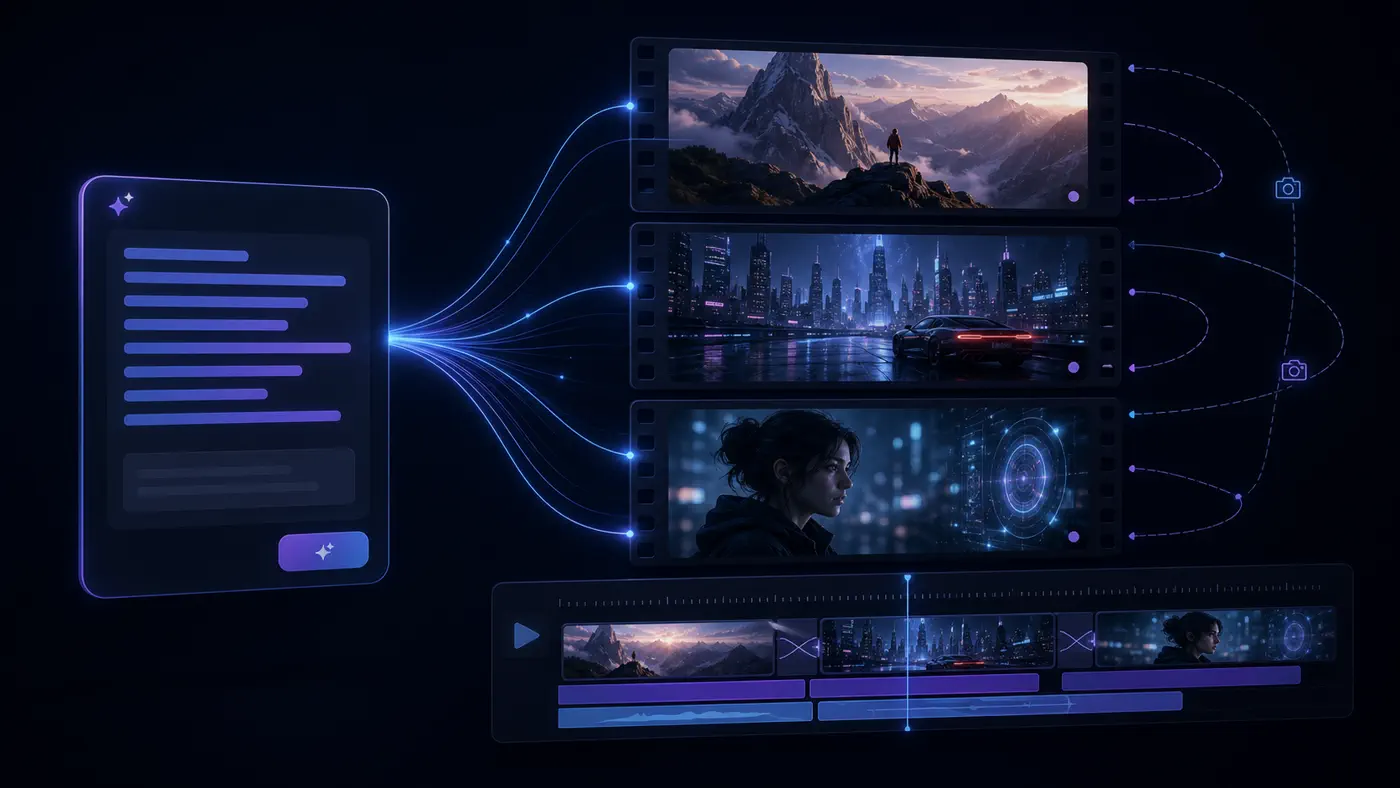
The important difference is motion. An image prompt can describe a beautiful still frame. A video prompt has to describe what happens over time. That means action, camera movement, changes in the environment, and details that should remain stable from frame to frame.
Think of a good AI video prompt less like a caption and more like a note to a director and cinematographer. You are not only saying what the subject looks like. You are also saying how the subject moves, where the camera is placed, how the shot feels, and what the viewer should notice first.
For a simple image prompt, "a glass perfume bottle on a marble table" may be enough. For a video prompt, you need motion: "Close-up product shot of a glass perfume bottle on a marble table, camera slowly orbiting left, soft studio light gliding across the label, luxury commercial style."
What Can You Create With AI Video Prompts?
AI video prompts can support many creative and commercial workflows. The same basic formula works across different use cases, but the details you emphasize should change based on what you are making.
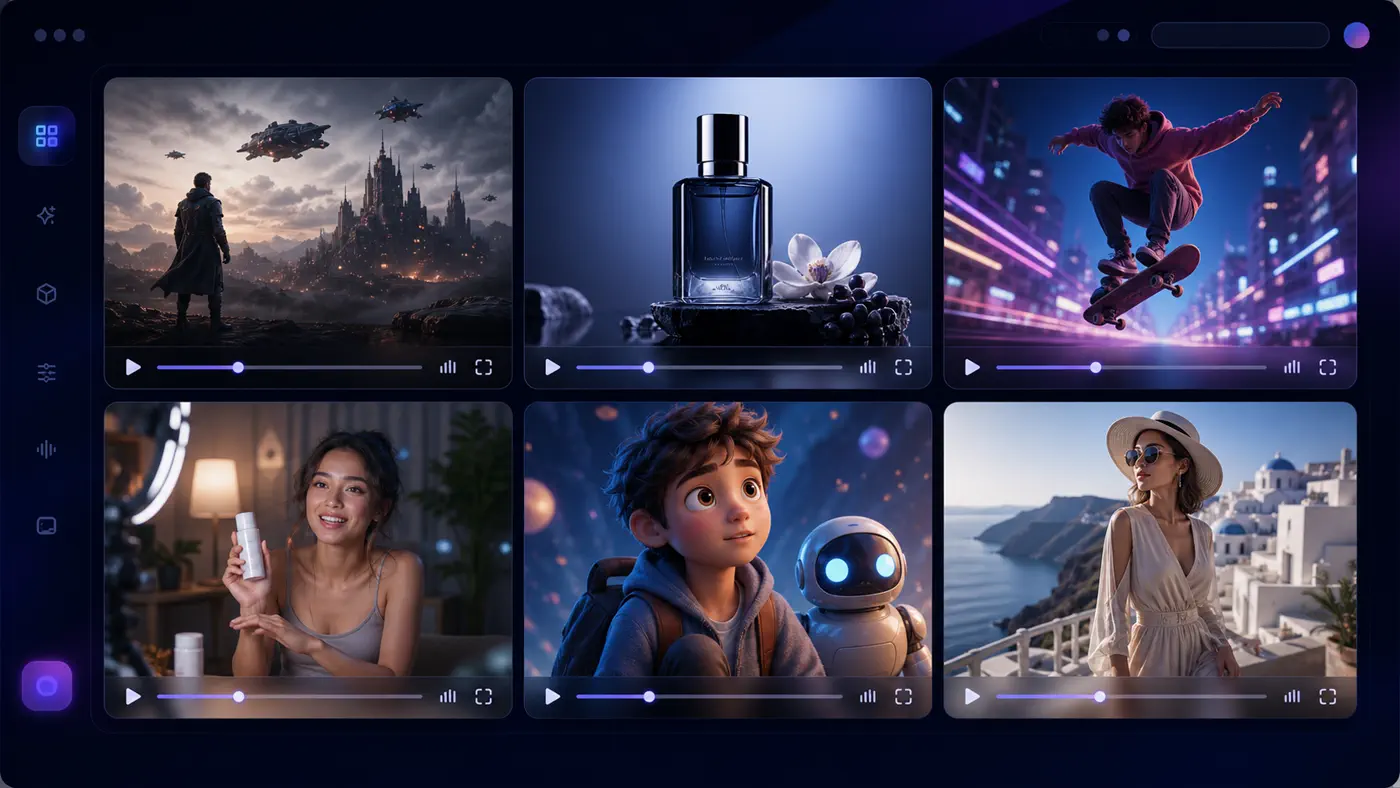
- Cinematic scenes for mood boards, short films, and concept previews
- Product showcase clips for ecommerce pages, ads, and launch videos
- Social media shorts for TikTok, Reels, YouTube Shorts, and paid creative tests
- UGC-style ads with a realistic creator or spokesperson feel
- Character animation where a person, mascot, or avatar performs one visible action
- Travel, nature, and lifestyle B-roll for quick visual storytelling
- Image-to-video animations that make a still image move without changing its identity
- Reference-based videos where character, product, outfit, or brand style consistency matters
This is why a single generic prompt formula is useful but not enough. A product video prompt needs surface details, lighting, and camera polish. A social short prompt needs pace and hook energy. An image-to-video prompt needs motion instructions without fighting the uploaded image.
The 7 Elements of a Strong AI Video Prompt
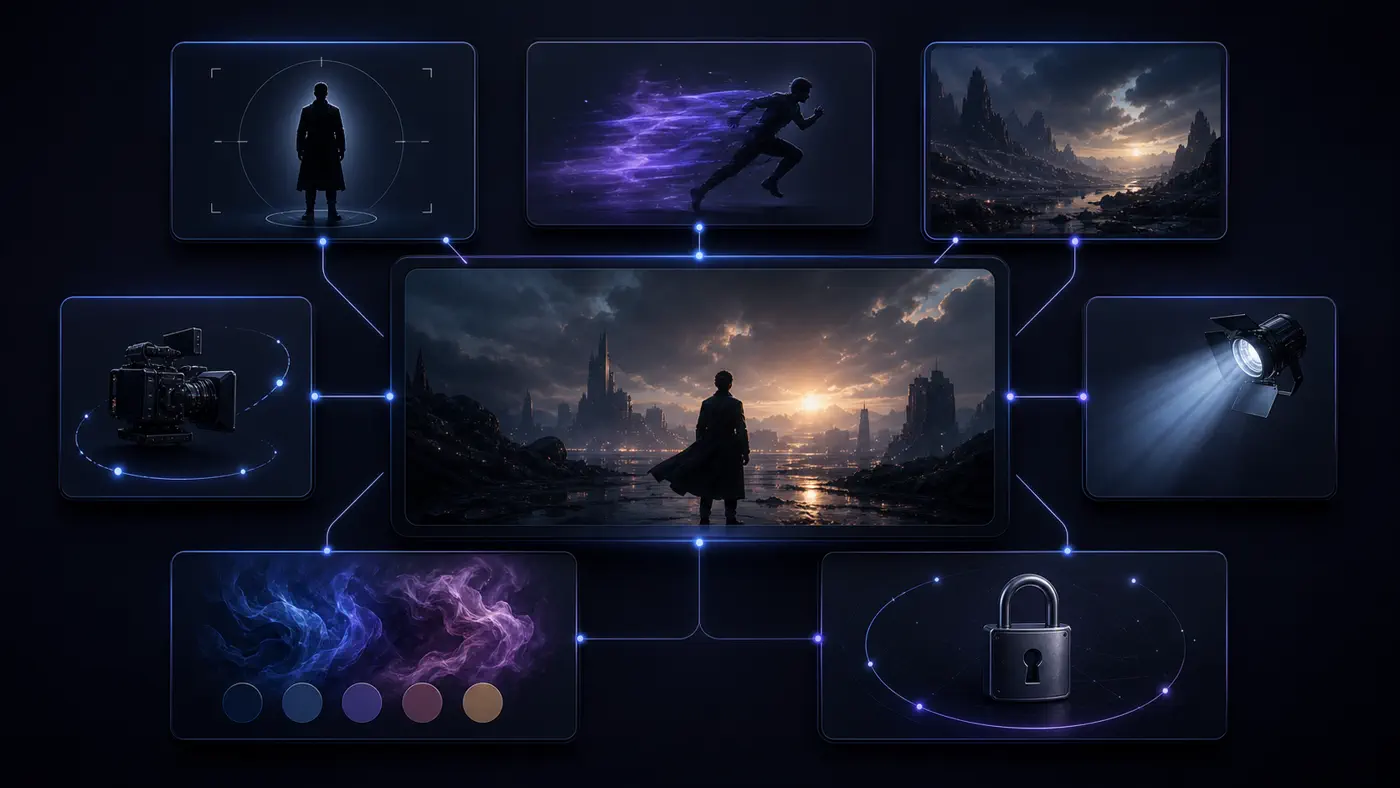
Most ranking guides and product help pages agree on the same core elements: subject, action, scene, camera, lighting, style, and iteration. Adobe's guidance names prompt details such as camera angle, lighting, and style; Runway's guide similarly emphasizes scene, subject, and camera movement. The useful step is turning those elements into a repeatable writing habit.
1. Subject
The subject is the person, object, product, animal, environment, or visual focus of the clip. Avoid generic subjects when detail matters. "A woman" is weaker than "a woman in a red wool coat with short black hair." "A bottle" is weaker than "a matte black skincare bottle with a silver cap."
2. Action
Action is the most important difference between image and video prompts. Describe one visible movement: walking, turning, pouring, opening, smiling, floating, rotating, zooming, drifting, unfolding, or reacting. If the action cannot be seen, the model may treat the prompt like a still image.
3. Scene
The scene gives the model context. Include the location, time, background details, foreground details, and atmosphere when they affect the result. A city street, studio table, mountain road, bedroom mirror, or futuristic lab all push the output in different directions.
4. Shot Type
Shot type tells the model how close the camera is. Useful options include close-up, medium shot, wide shot, establishing shot, macro shot, over-the-shoulder shot, and full-body shot. For product videos, close-up and macro shots often work well. For landscapes, wide shots usually make more sense.
5. Camera Angle and Movement
Camera angle says where the camera is. Camera movement says how it changes during the clip. You can use low-angle, overhead, eye-level, side profile, tracking shot, slow push-in, pull-back, orbit, pan, tilt, handheld, aerial, or locked-off static shot.
Use one clear camera movement per short clip. "Slow push-in" is easier to follow than "zoom in, orbit, pan, tilt, and tracking shot" all at once.
6. Lighting and Mood
Lighting controls feel. Try natural daylight, golden hour, soft studio light, neon reflections, dramatic backlight, moody low-key lighting, warm sunset glow, or clean commercial lighting. Mood words such as calm, tense, joyful, elegant, surreal, or energetic can help when they match the scene.
7. Style and Constraints
Style describes the visual language: cinematic realism, documentary, luxury commercial, anime, 3D animation, handheld vlog, retro film, fashion editorial, or product macro. Constraints tell the model what not to change: same face, same outfit, same product label, same background, no scene change, no extra characters.
Bad Prompt vs Better Prompt
The fastest way to improve AI video prompts is to compare a weak prompt with a stronger version and ask what changed. Do not only collect good examples. Learn how to repair the prompt you already have.
Example 1: Vague Prompt
Bad prompt: "A woman walking in a city."
Problem: The subject is generic, the city has no mood, the action is plain, and the camera has no direction.
Better prompt:
Medium tracking shot of a woman in a red coat walking through a rainy neon street at night, wet pavement reflections, soft cinematic lighting, realistic film style.
Why it works: It adds subject details, location, weather, time, camera movement, lighting, and style.
Example 2: Static Prompt
Bad prompt: "A beautiful perfume bottle on a table."
Problem: This is an image prompt. Nothing tells the video model what should move.
Better prompt:
Macro product shot of a glass perfume bottle on a marble table, camera slowly orbiting clockwise, soft light sweeping across the label, subtle mist in the background, luxury commercial style.
Why it works: The subject can stay mostly still, but the camera, light, and mist create video motion.
Example 3: Too Many Actions
Bad prompt: "A girl wakes up, walks outside, meets a friend, runs through the city, then the sky turns into stars."
Problem: A short AI video clip cannot reliably handle a whole story arc, multiple locations, multiple actions, and a major environment change at once.
Better prompt:
Wide shot of a girl opening her apartment window at sunrise, warm light spilling into the room, curtains moving gently in the breeze, slow camera push-in, peaceful cinematic mood.
Why it works: It turns the story into one visible shot. For a longer story, split the idea into several prompts or a storyboard.
Example 4: Image-to-Video Prompt That Fights the Image
Bad prompt: "A blonde woman in a blue dress stands on a beach at sunset, smiling, cinematic."
Problem: If the uploaded image already shows the woman, dress, beach, and sunset, the prompt wastes space repeating the image and may accidentally change details.
Better prompt:
Animate the woman with a subtle smile and wind moving her hair and dress, slow camera push-in, ocean waves moving softly in the background, keep her face, outfit, and sunset lighting consistent.
Why it works: It focuses on motion and consistency instead of re-describing the image.
Example 5: Product Video Without a Conversion Goal
Bad prompt: "A sneaker rotating in a studio."
Problem: It gives a basic action but misses the product details, camera polish, and benefit angle.
Better prompt:
Clean studio product video of a white running sneaker rotating on a glossy platform, macro close-up on breathable mesh and cushioned sole, slow orbit camera, bright commercial lighting, energetic fitness ad style.
Why it works: It gives the model product surfaces, selling details, camera direction, and ad style.
How to Write Prompts for Different AI Video Modes
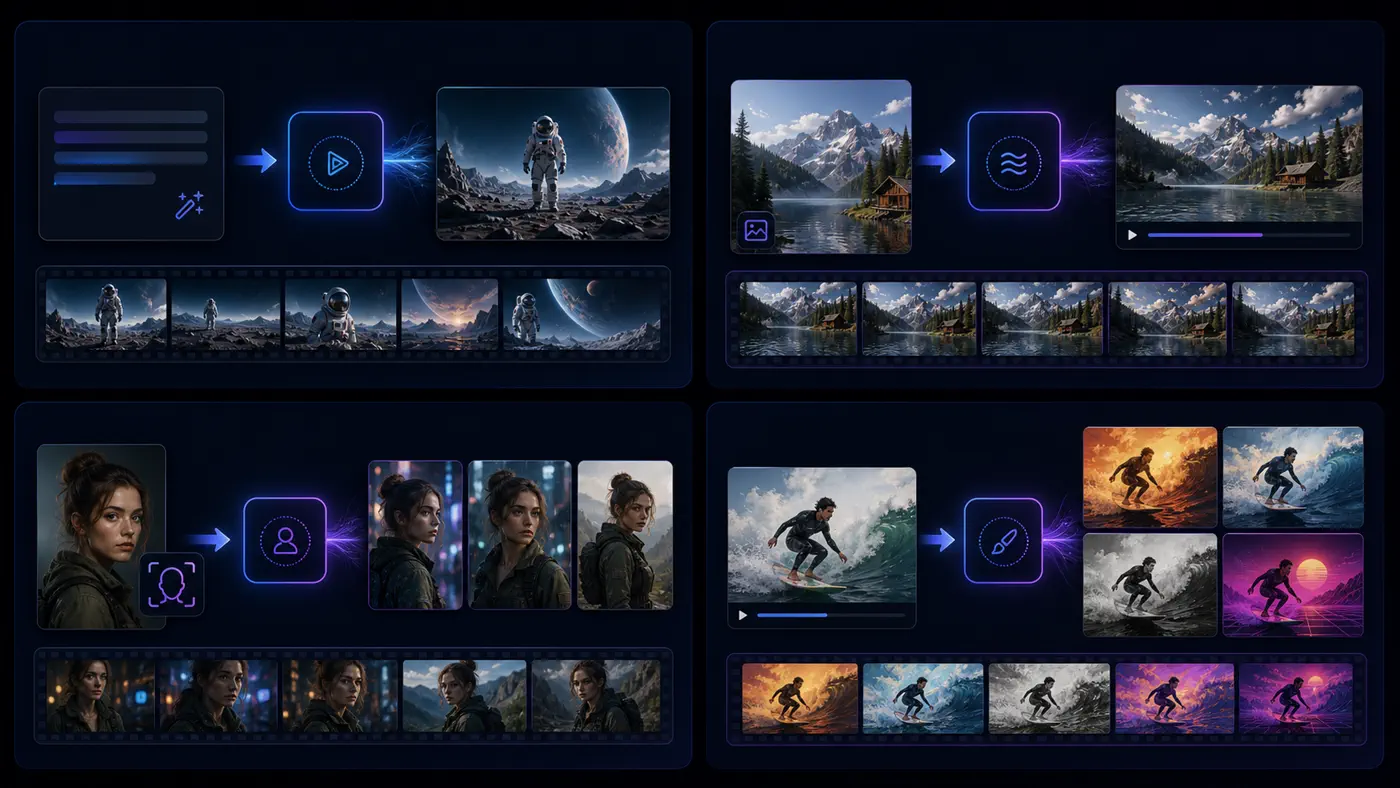
The same prompt should not be used for every generation mode. Text-to-video, image-to-video, reference-to-video, and video-to-video each need a different writing strategy.
This matters because the input changes what the model already knows. A text-to-video prompt has to describe the full scene, but an image-to-video prompt should spend more of its words on motion and consistency. Adobe's video prompt documentation makes the same distinction by separating text prompt writing from workflows that start with existing visual input.
Text-to-Video Prompts
Use text-to-video when you only have an idea. Because there is no visual input, the prompt must describe the full scene: subject, action, setting, camera, lighting, and style.
Template:
[Subject] [action] in [scene], [shot type], [camera movement], [lighting], [style], [mood].
Example:
Wide shot of a cyclist riding along an empty coastal road at sunrise, slow aerial tracking shot, golden light, ocean mist, cinematic travel film style.
Try this when starting from a written idea in the AI video generator or text-to-video generator.
Image-to-Video Prompts
Use image-to-video when you already have a strong still image and want to animate it. The prompt should focus on movement, camera, and what stays unchanged.
Template:
Animate [visible subject] by [motion], with [camera movement], while keeping [identity, product, background, style] consistent.
Example:
Animate the portrait with a gentle head turn and natural blinking, soft hair movement, slow camera push-in, keep the same face, outfit, background, and lighting.
This is the right structure for the image-to-video AI workflow.
Reference-to-Video Prompts
Use reference-to-video when consistency matters more than inventing a new look. This is useful for characters, products, mascots, fashion looks, and branded visuals.
Template:
Use the reference subject consistently. Show [subject] [action] in [scene], keeping the same face, outfit, proportions, product details, and visual style.
Example:
Use the reference character consistently. Show the same woman walking into a bright design studio, picking up a sketchbook, medium tracking shot, clean editorial lighting, keep her face, hairstyle, and outfit unchanged.
Use this approach when linking from the article to reference-to-video.
Video-to-Video Prompts
Use video-to-video when you want to preserve motion or composition from source footage while changing style, lighting, or atmosphere.
Template:
Keep the original motion and composition, transform the video into [style], with [lighting, mood, surface, or environment changes].
Example:
Keep the original dancer's motion and camera framing, transform the scene into a neon cyberpunk stage, glowing reflections, dramatic backlight, high-energy music video mood.
This fits a video-to-video workflow where the source motion already exists.
AI Video Prompt Templates You Can Copy
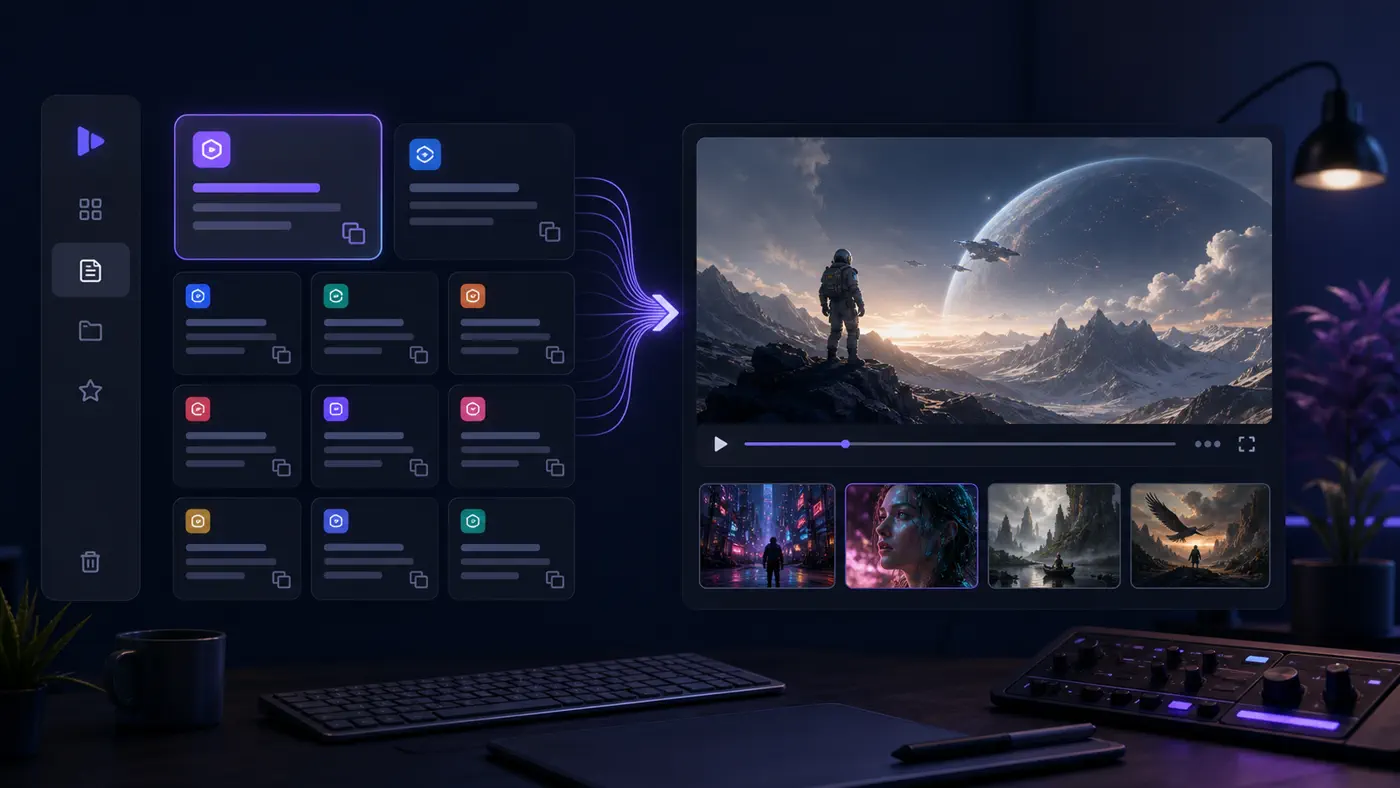
Use these AI video prompt templates as starting points. Replace the bracketed details, keep one main action, and adjust the camera or style only after the first result.
Cinematic Scene
[Shot type] of [character] [single action] in [specific location], [time of day], [camera movement], [lighting], cinematic realistic style, [mood].
Example: "Wide shot of a lone astronaut walking across a red desert plain, sunset on the horizon, slow aerial pull-back, dusty atmosphere, cinematic realistic style, quiet and mysterious mood."
Product Showcase
Macro product shot of [product] on [surface], [product detail] visible, [camera movement], [lighting], [brand mood or commercial style].
Example: "Macro product shot of a matte black smartwatch on a brushed metal surface, glowing display visible, slow orbit camera, clean studio lighting, premium tech commercial style."
Social Media Short
Vertical video of [subject] [action] in [setting], quick but smooth camera movement, bright lighting, energetic short-form style, clear visual hook in the first second.
Example: "Vertical video of a creator snapping her fingers as her outfit changes into a silver party look, quick push-in camera, bright studio lighting, energetic short-form fashion style."
UGC Ad
Handheld vlog-style shot of [creator] using [product] in [everyday setting], natural movement, authentic lighting, friendly confident mood.
Example: "Handheld vlog-style shot of a creator applying a skincare serum in a bright bathroom mirror, natural hand movement, soft morning light, friendly confident mood."
Character Animation
[Character description] [simple action], [environment], [camera angle], [motion detail], keep character identity and outfit consistent.
Example: "A small robot barista waves and pours coffee behind a tiny cafe counter, eye-level medium shot, steam rising from the cup, keep the robot design consistent."
Fashion or Beauty
Fashion editorial shot of [model or subject] [action], [wardrobe detail], [location], [camera movement], [lighting], [style].
Example: "Fashion editorial shot of a model turning slowly in a structured white coat, minimalist gallery background, slow orbit camera, soft diffused lighting, elegant magazine style."
Travel or Nature
[Shot type] of [landscape or traveler] [motion], [specific environment], [weather or time], [camera movement], natural cinematic style.
Example: "Wide shot of a hiker crossing a wooden bridge in a misty pine forest, early morning fog, slow drone tracking shot, natural cinematic style."
App Demo or SaaS Video
Clean product explainer shot showing [interface or device] [action], [environment], smooth camera movement, crisp lighting, modern SaaS commercial style.
Example: "Clean product explainer shot showing a laptop dashboard animating from empty state to completed project timeline, modern desk setup, slow push-in, crisp lighting, SaaS commercial style."
Image-to-Video Motion
Animate the image with [subject motion], [background motion if needed], [camera movement], keep [identity, product, background, style] consistent.
Example: "Animate the image with subtle hair movement and blinking, city lights flickering in the background, slow camera push-in, keep the same face, outfit, and color grading."
Reference Character Consistency
Use the reference character consistently. Show [character] [action] in [new scene], keep the same face, outfit, body proportions, and visual style.
Example: "Use the reference character consistently. Show the same detective stepping into a rain-soaked alley, low-angle medium shot, neon reflections, keep the same face, coat, hat, and noir style."
Common AI Video Prompt Mistakes and Fixes
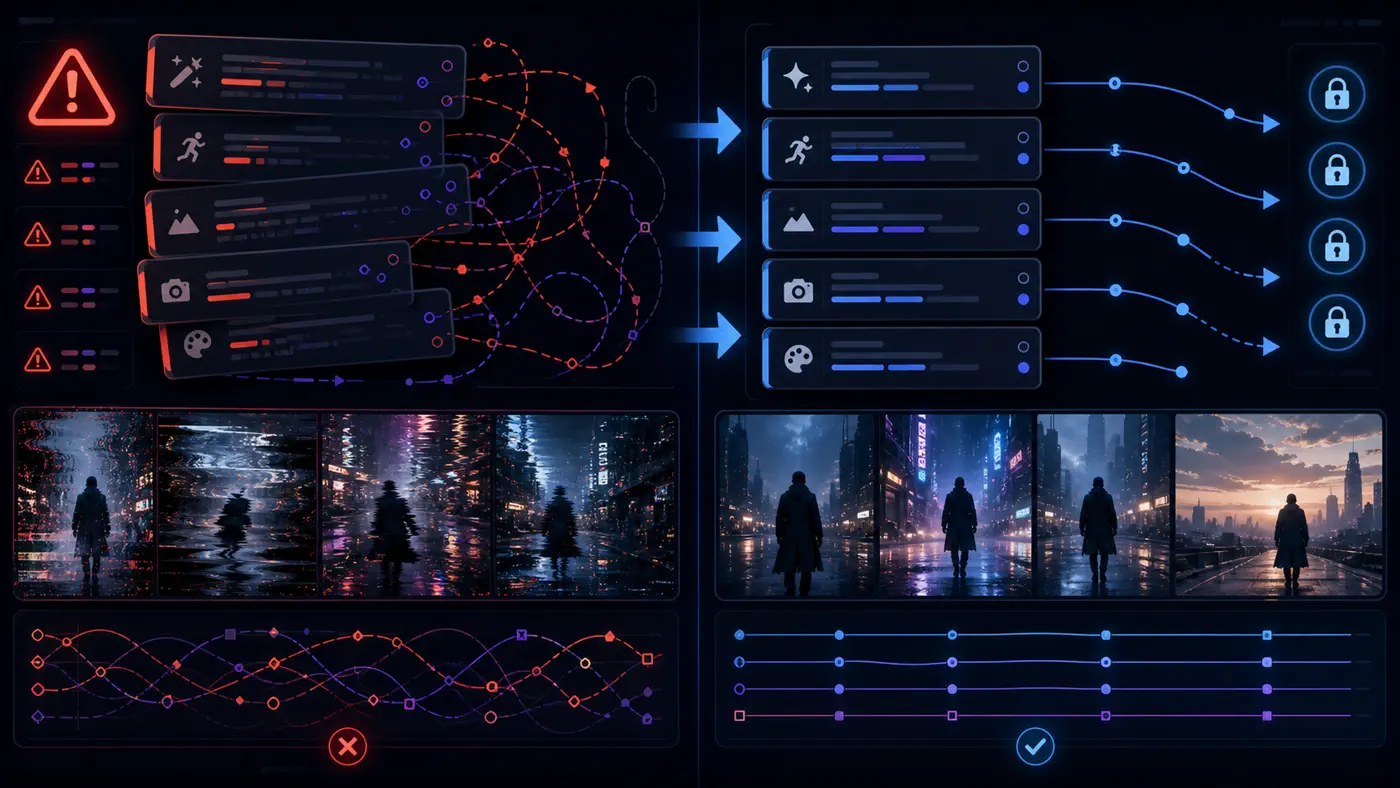
When a result fails, do not rewrite the entire prompt immediately. First identify the specific failure. Most problems fall into a small set of prompt issues.
Community discussions around AI video prompt writing show the same pattern: people rarely ask only for prettier words. They ask how to control motion, keep a character recognizable, make camera movement more predictable, or turn a long idea into usable short shots. That is why this section focuses on diagnosis instead of just giving another list of examples.
Problem: The video barely moves
Why it happens: The prompt describes a static image.
Fix: Add one clear subject action or one camera movement.

Problem: The camera feels random
Why it happens: The prompt includes too many camera directions or no camera direction.
Fix: Use one shot type and one movement, such as close-up with slow push-in.

Problem: The subject changes face, outfit, or shape
Why it happens: Identity constraints are weak.
Fix: Add keep the same face, outfit, proportions, product label, or background.

Problem: The output looks generic
Why it happens: The prompt lacks scene, time, lighting, or mood.
Fix: Add a specific location, time of day, surface detail, lighting style, or visual mood.

Problem: The action does not happen
Why it happens: The action is abstract, hidden, or too complex.
Fix: Replace it with one visible action that can happen in a short clip.

Problem: The style looks mixed
Why it happens: The prompt combines conflicting style words.
Fix: Choose one main style and remove style terms that fight each other.

Problem: The model ignores details
Why it happens: The prompt is overloaded with minor instructions.
Fix: Put the most important subject, action, and camera details near the front.
This troubleshooting approach is more useful than collecting endless prompt examples. A template helps you start. A fix table helps you recover when the first generation is close but not usable.
How Long Should an AI Video Prompt Be?
An AI video prompt should be long enough to remove ambiguity, but not so long that it becomes a full script. For many short clips, one detailed sentence is enough.
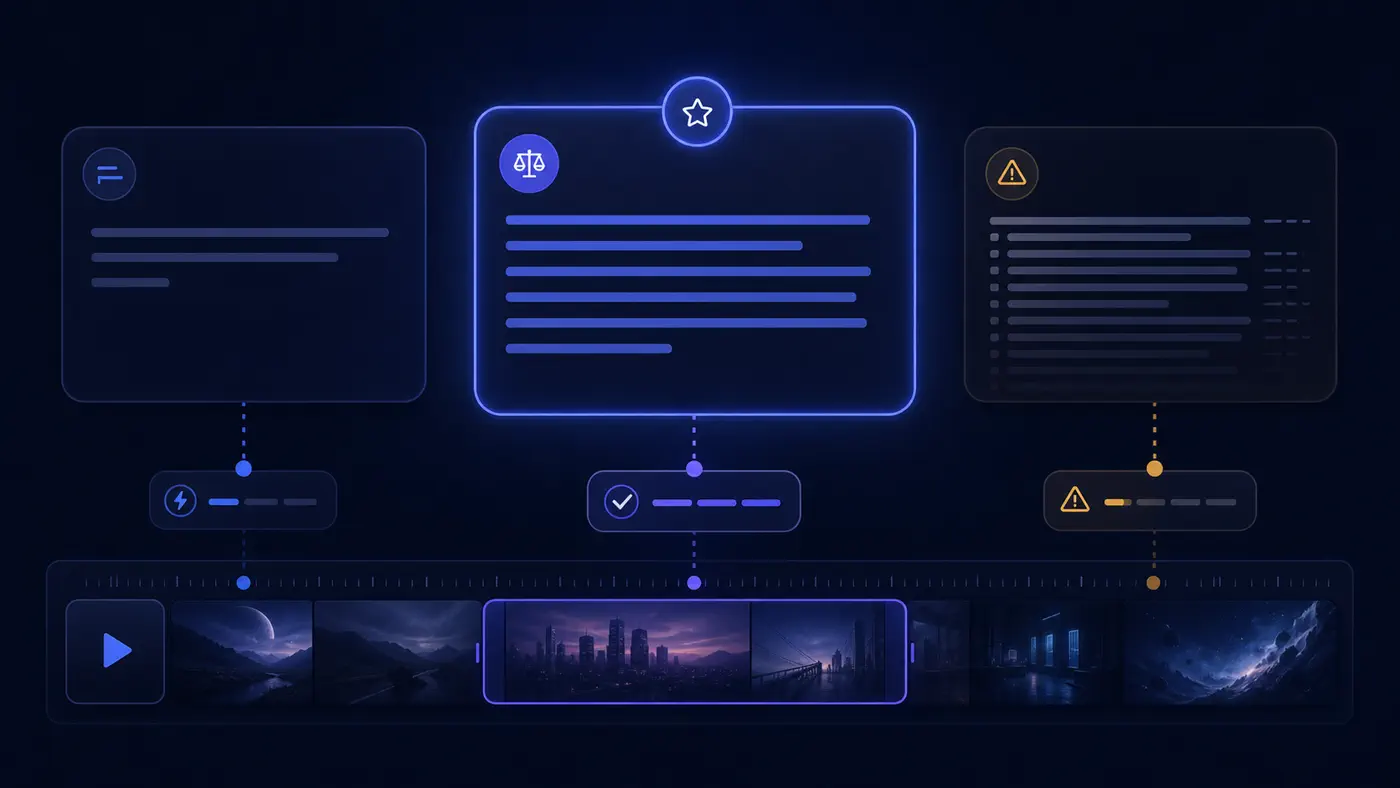
Use a short prompt when the idea is simple: one subject, one action, one setting. Use a medium prompt when you need specific camera movement, lighting, brand style, or character consistency. Avoid very long prompts when you are trying to control a multi-scene story.
A good rule: one prompt should usually describe one shot. If your idea needs a beginning, middle, and end, split it into multiple shots or storyboard prompts. Do not ask one short generation to cover waking up, leaving home, crossing the city, meeting a friend, and transforming the sky.
For image-to-video, shorter prompts often work better than long scene descriptions. The image already gives the model subject and background information. Your prompt should mainly say what moves, how the camera moves, and what must stay the same.
How to Improve Your Prompt After the First Result
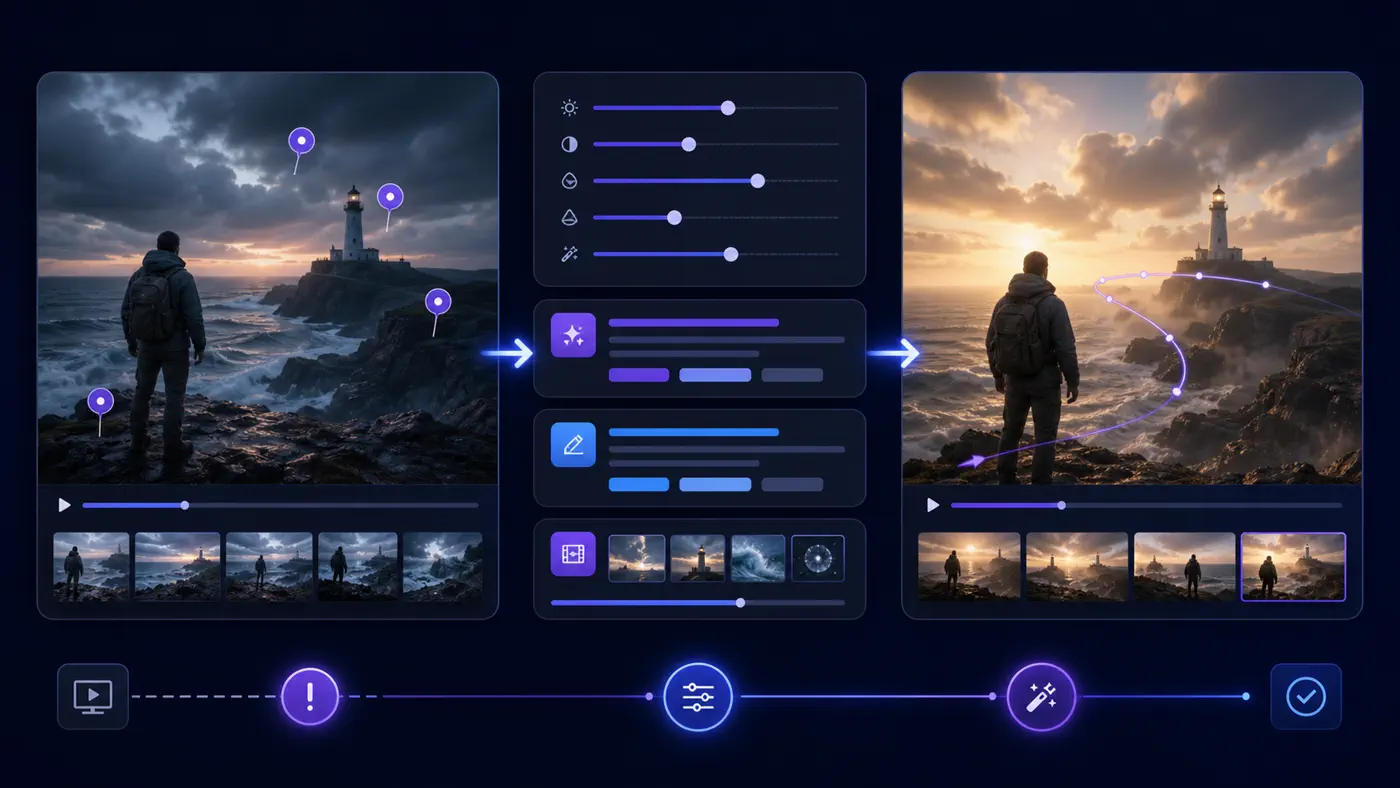
The first generation is rarely the final one. Iteration is part of AI video creation, but productive iteration is controlled. If you change everything at once, you will not know what improved the result.
This is also where prompt advice from official guides and community threads meets real workflow. Guides can tell you what to include, but users still have to respond to the actual first result: did the subject move, did the camera drift, did the identity change, or did the scene feel too generic?
- Keep the parts that worked. If the character, lighting, or scene looks good, leave those words in place.
- Fix action before style. A beautiful style cannot save a clip where nothing moves.
- Simplify camera movement. Replace several camera terms with one clear direction.
- Add constraints only where the model is drifting. Do not add a long list of restrictions before you know the problem.
- Generate a few variations before rewriting. Sometimes the prompt is good enough, but the first sample is not.
- Change one variable at a time: action, camera, lighting, style, or consistency.
A practical revision might look like this: first add a clearer action, then choose a slower camera movement, then adjust lighting. That is easier than writing a totally new prompt and hoping the model guesses better.
Try These Prompts in FluxArt
The easiest way to use this guide is to copy one template into FluxArt, generate a first version, then refine one variable at a time.
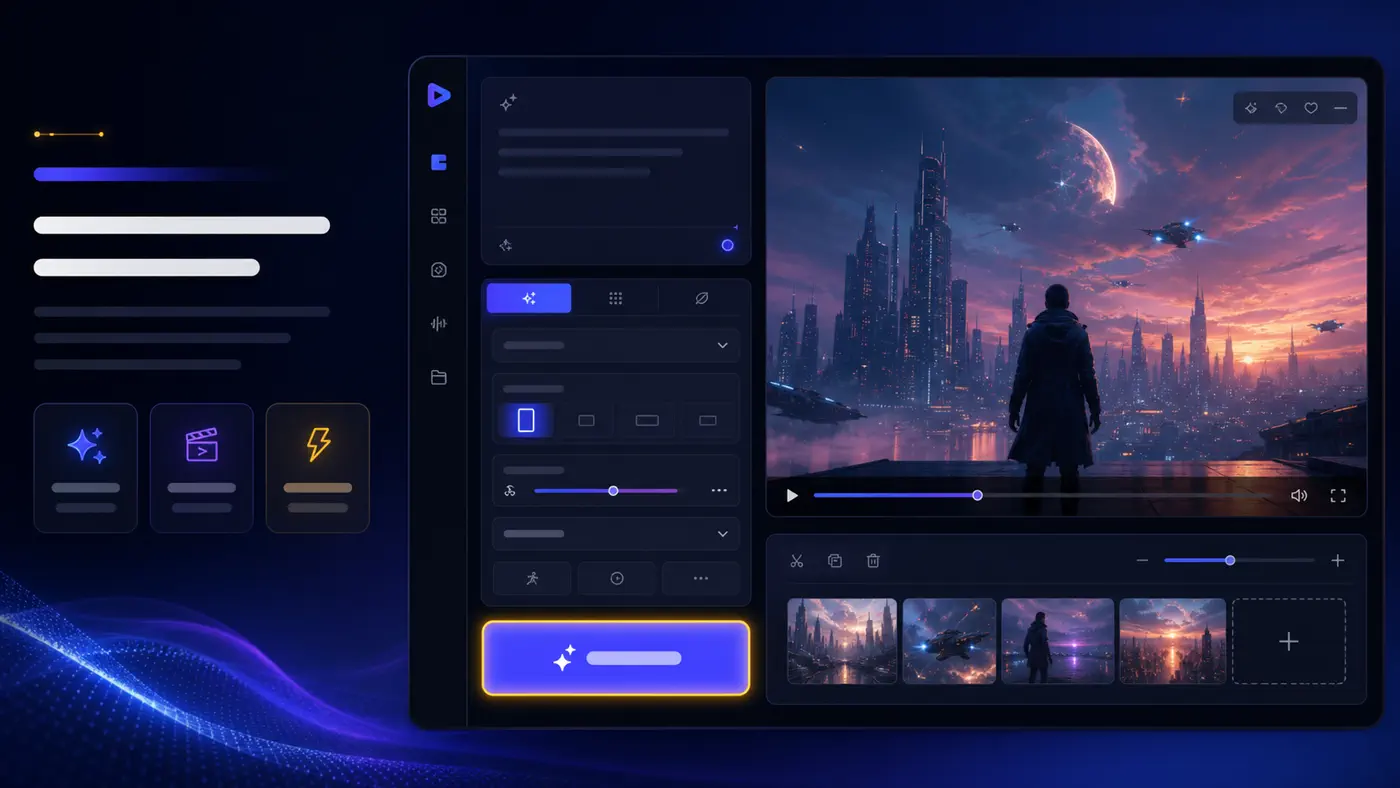
If you only have an idea, start with the AI video generator or text-to-video generator. Write the full scene from scratch: subject, action, setting, camera, lighting, and style.
If you already have a strong image, use image-to-video. Upload the image, then write mostly motion instructions: what moves, how the camera moves, and what stays consistent.
If a person, product, outfit, or brand look must remain recognizable, use reference-to-video. Your prompt should mention consistency directly instead of only describing the new scene.
If you already have footage and want to restyle it, use video-to-video. Keep the original motion and composition, then change style, lighting, mood, or surface details.
A natural workflow is: choose the right mode, paste a template, generate, review the failure point, fix one part of the prompt, and generate again. That turns prompt writing from guessing into a repeatable creative process.
FAQ
What Should an AI Video Prompt Include?
An AI video prompt should include the subject, action, scene, camera movement, lighting, visual style, and any consistency constraints. The action and camera details are especially important because video needs motion.
How Do I Write Prompts for AI Videos?
Write AI video prompts like a short director's brief. Describe who or what appears, what moves, where the action happens, how the camera sees it, what the lighting feels like, and what style the final clip should follow.
What Is the Best AI Video Prompt Formula?
A reliable formula is: subject + action + scene + shot type + camera movement + lighting + style + constraints. You can shorten or expand it depending on the complexity of the clip.
How Do I Make AI Videos Look More Cinematic?
Use cinematic shot types and lighting details. Add terms like wide shot, close-up, slow tracking shot, soft backlight, golden hour, wet reflections, shallow depth of field, or realistic film style when they fit the scene.
Why Does My AI Video Prompt Fail?
Common reasons include vague subjects, no visible motion, too many actions, conflicting styles, missing camera direction, or weak consistency constraints. Identify the failure first, then fix that part of the prompt.
Should AI Video Prompts Be Long or Short?
They should be clear, not simply long. A simple shot can use one sentence. A product video or reference-based clip may need more details. A full multi-scene story should be split into separate prompts.
How Do I Write Image-to-Video Prompts?
For image-to-video, describe motion instead of re-describing the whole image. Say what the subject does, how the camera moves, what background elements move, and what details should remain unchanged.
How Do I Keep a Character Consistent in AI Video?
Use a reference image or reference workflow when available, and include constraints such as keep the same face, outfit, body proportions, hairstyle, and visual style. Avoid changing too many scene variables at once.
Can I Use the Same Prompt for Different AI Video Models?
You can reuse the same idea, but the best wording may change by model and mode. Keep the core subject, action, and camera direction stable, then adjust detail level, style words, and constraints after reviewing the first result.
Sources and Further Reading
This guide was informed by official AI video prompt documentation, SERP research for this keyword, product help patterns, and community discussions around AI video prompt control.
Useful external references include Adobe's guide to writing effective text prompts for video generation, Runway's Gen-3 Alpha Prompting Guide, FlexClip's AI video prompt structure guide, and community discussions such as AI video prompt writing templates on Reddit.
Last updated: July 30, 2026.
Turn Your Next AI Video Prompt Into a FluxArt Generation
Generate
 FluxArt